
Publishing a book and getting it out in the book world no longer requires waiting for a traditional publisher to discover your manuscript. With Amazon KDP publishing, authors can take their book directly to one of the world's largest online book marketplaces and reach readers without having to navigate the traditional publishing route. But while the platform makes book publishing accessible, getting a book ready for publication involves much more than simply uploading a file.
KDP self-publishing UK gives authors control over important decisions, including their book editing, formatting, pricing, description, keywords, categories, and overall presentation. Whether you are preparing your first novel, business book, memoir, or non-fiction book, understanding how the platform works can help you avoid those costly mistakes and publish your book professionally.
If you are searching for how to publish a book on Amazon KDP, this guide walks you through the process from preparing your manuscript and cover to choosing metadata, uploading your files, setting the book price, and finally publishing your book on Amazon.
What Is Amazon KDP Self-Publishing?
Amazon KDP self-publishing is a book publishing route that allows authors to bring their books directly to a larger audience without relying on a traditional publishing house. KDP, short for Kindle Direct Publishing, supports both print and digital formats, giving authors the flexibility to publish their eBooks, paperbacks, and hardcovers according to their publishing goals.
One of the biggest advantages of KDP is the level of control it gives authors over their books. You can manage important aspects of your book, including its title, keywords, descriptions, categories, pricing, cover, and publishing details. For printed books, KDP's print-on-demand model can also allow copies to be produced when customers order them, reducing the need to manage large amounts of inventory.
However, self-publishing a book in the UK does not mean simply uploading a manuscript and pressing the publish button. A professional book editing process, polished formatting, an effective cover, accurate metadata, and thoughtful book positioning contribute to how a professional book appears in front of readers. For authors who want control over their book publishing journey, KDP offers them a practical way to turn their completed manuscript into a book that is available for readers through Amazon.
What You Need Before Publishing on KDP
Before you begin your Amazon KDP publishing process, having the right materials ready beforehand can save time and prevent avoidable publishing problems. You can start the process with a finished manuscript that has been thoroughly edited and proofread. A polished manuscript gives you a stronger foundation and reduces the chances of discovering errors after book publication.
You will also need a professionally prepared book cover design that suits your book genre and works perfectly for your chosen format. If you are publishing a print edition, your interior file must also be properly formatted according to the selected trim size and layout requirements. For an eBook, formatting should be optimised for digital reading across different devices.
The details of your book are just as significant. Gather your book title, subtitle, author name, book description, pertinent keywords, and suitable categories prior to starting the setup procedure. These specifics assist in clearly showcasing your book and facilitate discovery for potential readers. At last, your publishing details, pricing choices, relevant information, and ISBN data are prepared where necessary. Having your manuscript, book cover, metadata, and publishing details ready beforehand allows you to approach KDP confidently and navigate the book publishing process more efficiently.
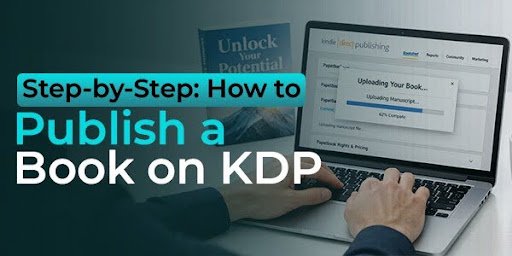
Step-by-Step: How to Publish a Book on KDP
Here is our step-by-step guide on how to publish your book on Amazon KDP.
Step 1: Create Your KDP Account
Start your Amazon KDP publishing process by creating or signing into your KDP account using your Amazon credentials. Complete your author or publisher information, including your legal name and contact information. You will also need to provide payment and tax information before book publishing. Taking time to complete your account and fill in all the information helps prevent details when you are ready to submit your book.
Step 2: Choose Your Book Format
You have the power to choose how readers will engage with your book. Amazon KDP enables self-publishing authors to release their work in various formats, including eBook, paperback, and hardcover, subject to availability. When deciding on your publishing option, you should take into account your genre, reading experience, target audience, and publishing objectives. You can provide various formats to appeal to various readers and enhance your book's visibility on Amazon.
Step 3: Prepare and Format Your Manuscript
Before uploading your book on KDP, ensure that your manuscript is carefully edited, proofread, and correctly formatted for its selected format. The interior design of your book must feature uniform headings, fonts, spacing, page breaks, chapter starts, and other key components. A printed book necessitates thorough consideration of margins, trim size, and bleed, whereas eBooks require book formatting services that display well on various screen dimensions. A well-written and thoroughly edited manuscript eliminates distracting mistakes and provides a refined reading experience before submission, ensuring that it appears professional and preventing formatting problems post-publication.
Step 4: Create a Professional Book Cover
Your book cover design is often the first thing potential readers notice. So, it needs to make an immediate and strong first impression. Develop a design that captures your book's genre, tone, subject matter, and target audience while ensuring clarity and legibility at various sizes. For KDP, your book cover needs to adhere to the technical specifications of your chosen format. A well-crafted book cover design features robust typography, suitable imagery, harmonious composition, and precise dimensions to create a refined look for your book and enhance its visibility on Amazon.
Step 5: Enter Your Book Details
Once your manuscript and book cover are ready, enter all the necessary details that will be shown on the book listing page. Enter the book title, subtitle, author name, overview, publication details, keywords, and categories. This will help prospective readers understand your book's content while also ensuring that Amazon classifies and indexes it correctly. It will enable you to preserve precision and uniformity in your data, which will represent your book's material. This will help your book differentiate itself from others during a genre or title search.
Step 6: Choose Relevant Amazon KDP Keywords
You can choose the right keywords for your Amazon KDP listing to help you connect with potential readers actively looking for content similar to your book. By selecting keywords that accurately reflect the topic, genre, or readership of your book, you can steer clear of vague or unrelated terms. Consider what a possible reader might type into the Amazon search bar when looking for a book similar to yours. The extended keyword phrases can assist you in refining the specific search terms too. Avoid selecting any deceptive keywords or those that are entirely irrelevant to your book.
Step 7: Select the Right Categories
Choosing the correct categories on Amazon KDP helps authors reach the right audience. Therefore, you need to select from those categories that best suit your book based on its genre and content, and not just by the popular choices of categories. The right category plays an essential role in getting more reach for your book.
Step 8: Upload Your Manuscript and Cover
Now that you have all the files prepared, you can go ahead and upload them on your Amazon KDP account. Each file should correspond to the requirements of the selected layout. For example, you need to pay attention to all dimensions, format the file, and the layout of your book. It is recommended to use preview features in KDP and check the book for mistakes that are unintentionally left, like misaligned text, images, blank pages, and so on.
Step 9: Set Your Rights and Pricing
Before publishing your book on Amazon, make sure you have all the required rights. Verify your book publishing rights, territory, and price listing for the book. You must have all the legal rights to publish your work on KDP and choose the territories in which you can distribute your book. It is also essential that the price is set while keeping the format in mind, along with genre and the cost of producing a book.
Step 10: Publish Your Book
In the final step, once you are done checking all the publishing requirements, make sure that you look back at your manuscript, book cover, book information, pricing, and publishing information once again before submitting the book via KDP. Once your book is reviewed by Amazon, it will be ready for sale. This is the last step of the process of publishing your book.
How to Make Your Book More Discoverable on Amazon
Publication of a book on Amazon is the first step towards its discovery. In order to reach the target readers to find your book on Amazon, you have to think through the number of different aspects of the book publication process. This includes the book description, keywords, categories, book cover, and others. All of these factors are designed to convey information about the book itself.
With this, you can begin your book publication by composing an effective book description that immediately conveys the message of your manuscript. You do not need to include all the chapters of your book, but highlight its subject matter or benefit for the reader.
Your Amazon KDP keywords also need serious consideration. You can pick the right keywords, which should match your book's theme and give an idea of what your book will be about and what potential readers might be looking for. Then finally, you can pick the categories for your book. These should match your book's genre and give Amazon the necessary information on where to put your book.
The book cover design is equally important for publishing your book. Professional design, relevant to a specific genre, can increase credibility for the title of the book and motivate people to read it. In several cases, people see books as thumbnails, so it is important that the title of the book be visible and readable.
At last, you shouldn't limit yourself to separate metadata elements. All aspects of your work, including the author's name, title of the book, information about it, and others, should be unified. Therefore, Book Publishers Agency offers a professional approach that will help establish trust and motivate people to read your book.
There is no need to try to trick the system. You just need to provide the necessary information in the right way.
Common Amazon KDP Publishing Mistakes to Avoid
Self-publishing a book in the UK using Amazon KDP is easy, although doing it quickly may lead to issues with how the book looks, is discovered, and is read by readers. Being familiar with the usual mistakes will help you become more confident about KDP self-publishing.
1. Publishing an Unedited Manuscript
A well-written manuscript can be hindered by grammar, spelling, structural, and consistency errors and needs to be professionally edited and proofread before uploading.

2. Using an Unprofessional Cover
The cover makes the first impression for your book. If the cover looks unappealing, outdated, or disconnected from your genre, this could turn people away from your book.
3. Getting Keywords Wrong
Irrelevant, too general, or even misleading keywords on Amazon KDP will not enhance your visibility, but hinder it instead. Select relevant keywords that accurately describe your book and your target audience's search habits.
4. Choosing Irrelevant Categories
Categories must correctly reflect the genre and theme of the book. Selecting inappropriate categories just because they are popular would place your book among the wrong target group.
5. Skipping the Preview Stage
Do not take for granted that the files that you have uploaded will look the same as expected. Examine your book closely before publishing to check for problems related to formatting.
6. Focusing Only on Getting Published
Putting your book up on Amazon is only the beginning. Your descriptions, metadata, cover, author profile, and marketing approach all help bring the reader's attention to your book.
A good KDP launch starts with proper preparation. Make sure you spend the necessary time improving all aspects of your book before pressing the publish button.
Amazon KDP Publishing vs. Hiring Professional Publishing Support
KDP by Amazon makes self-publishing easy, providing authors with the opportunity to do everything from managing their book setup to uploading their files, setting the price point, and publishing on Amazon. Self-publishing on KDP is beneficial for those authors who can handle all the work independently.
Nevertheless, handling each of the stages individually might be very time-consuming for beginners. It is possible to leave all of that to professionals in the publishing industry, which will help you not only save your time but also prevent you from making some mistakes.
This decision would depend entirely on your experience, time, budget, and involvement level. While Amazon offers the platform, professional help could go a long way in ensuring that the materials that you submit for publishing are well-polished and prepared.
Book Publishers Agency gives you full control while handling all aspects of the publication process, including self-publishing through KDP. In case you require assistance from start to finish, then going professional could be an easy route.
Frequently Asked Questions About Amazon KDP
What is Amazon KDP?
Amazon Kindle Direct Publishing (KDP) is Amazon's platform for self-publishing, enabling authors to publish and sell their books directly to audiences. Authors have the capability to release eBooks along with qualifying print formats, such as paperbacks and hardcovers, while overseeing essential publishing aspects on their own.
Can I publish a book on Amazon KDP myself?
Yes, KDP self-publishing enables authors to oversee the publishing procedure independently from a traditional publishing company. You can submit your manuscript and cover, provide your book details, choose categories and keywords, establish pricing, and send your book for publication.
How much does it cost to publish a book on KDP?
There is no initial charge just to upload and release a book via KDP. Yet, writers might opt to utilise professional services like editing, proofreading, formatting, cover design, and marketing. When calculating royalties for print books, printing expenses are also taken into account.
Do I need an ISBN to publish on Amazon KDP?
The format determines the requirements for the ISBN. An ISBN is usually not necessary for Kindle eBooks, but print versions might need one. Authors need to verify the latest KDP guidelines for their particular format before publishing.
Can I publish both an eBook and paperback on KDP?
Yes, authors may release various editions of the same title, like an eBook and a paperback, as long as each format is produced in accordance with its specific requirements. Providing various formats allows readers additional options to engage with your book.
How long does Amazon KDP publishing take?
The overall schedule relies on the readiness of your manuscript and publishing documents. Once submitted, Amazon evaluates the book prior to its release for purchase. Carefully preparing your manuscript, cover, metadata, and files in advance can facilitate a smoother process.
Can I change my book after publishing it?
Yes, authors are able to make specific revisions to their published works, like fixing mistakes or refreshing some details about the book. Nonetheless, certain modifications might necessitate the book to undergo Amazon's review process once more, so it's advisable to thoroughly verify your files and information before the initial submission.
How can I make my book easier to discover on Amazon?
Utilise precise Amazon KDP keywords, appropriate categories, an engaging book description, and a polished cover. These components aid in conveying the essence of your book and linking it with readers who might be intrigued by your topic or genre.
Final Thoughts!
Completing your manuscript is a significant milestone, but finalising the pages is just one aspect of becoming a published author. Using Amazon KDP, you can manage the publishing process yourself and present your book to readers without relying on a conventional publishing company. From selecting the appropriate format and formatting your manuscript to designing a professional cover, picking keywords, establishing categories, and determining pricing, every step affects how your book is presented and sells on Amazon.
Understanding how to publish a book on KDP can simplify the process, particularly when you know what preparations are necessary before uploading your files. An accurately refined manuscript, optimised formatting, precise book information, pertinent keywords, and an impactful cover can enhance the professional appearance of your publication. Yet, releasing content involves more than just pressing the publish button. Your book should be crafted with its audience, genre, and primary objectives considered. Reviewing each detail thoroughly before publishing can help prevent common errors and enhance the experience for your audience.
Whether you choose to handle Amazon KDP publishing yourself or work with professional support, the goal remains the same: turn your finished manuscript into a book you can confidently put in front of readers. With the right preparation and a clear publishing plan, your idea can move from a document on your computer to a professionally presented book available on Amazon.